
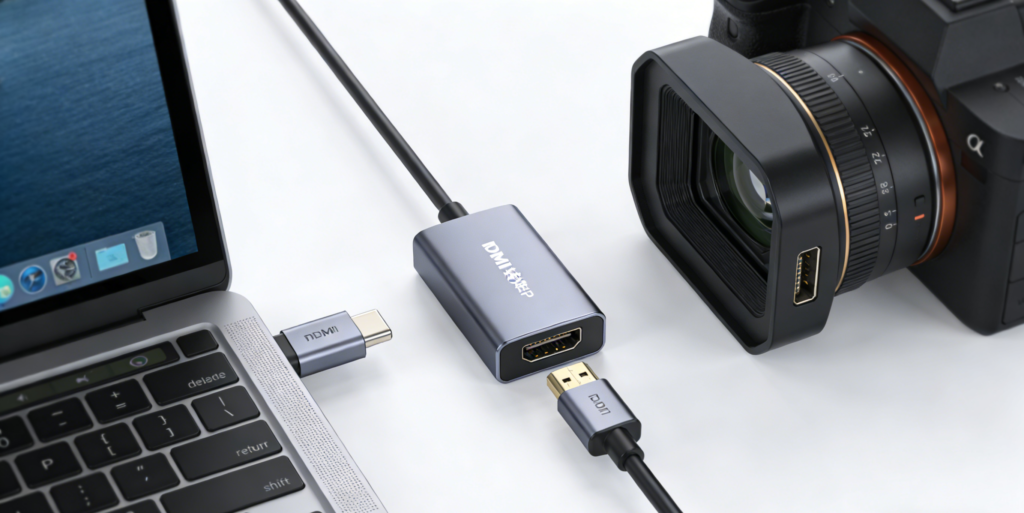
Based on my personal experience, I have compiled relevant solutions for converting SDI and HDMI signals. These primarily involve three core converter types: unidirectional SDI to HDMI, unidirectional HDMI to SDI, and bidirectional converters. They cover common scenarios such as professional monitoring, equipment integration, and live production. Below, I will share detailed insights into the usage experience and key features of each device.
I. Unidirectional SDI to HDMI Converter
I primarily use unidirectional SDI to HDMI converters for professional monitoring scenarios. Their core advantage lies in high color accuracy, making them ideal for environments with strict color requirements. This device features a 17-point 3DLUT for high-precision color calibration. Whether connected to monitors, projectors, or standard TVs, it ensures accurate color tuning for true-to-life, color-neutral image reproduction. Additionally, its SDI loop-through output directly transmits 3DLUT parameters—a feature particularly useful for professional post-production adjustments and multi-device synchronization.
Regarding compatibility, it supports DCI formats and various cinema-grade frame rates, such as 1080p24, 1080p47.95, and 1080p48, making it fully capable for film production and professional monitoring tasks. Models are available in 3G and 12G versions, allowing users to select based on their transmission bandwidth and resolution requirements to suit different application scenarios.
II. Unidirectional HDMI to SDI Converter
The unidirectional HDMI to SDI converter primarily bridges HDMI devices with professional SDI equipment. It connects HDMI cameras or computers to professional SDI gear, proving essential for live broadcasts, film production, and conference recording. It features two 3G-SDI output ports with freely configurable output formats (Class A or Class B), accommodating various SDI device specifications. Its compatibility significantly outperforms simpler converters I’ve used previously.
Compared to some budget converters on the market, this model has clear advantages—it supports video formats commonly used in feature films like 1080p24, 1080p47.95, and 1080p48. This prevents issues like frame stuttering or distortion caused by format incompatibility, ensuring a smooth production workflow. It also comes in 3G and 12G models, allowing you to choose based on your transmission needs.
III. Bidirectional SDI/HDMI Converter
The bidirectional SDI/HDMI converter is my personal recommendation. It combines SDI-to-HDMI and HDMI-to-SDI conversion into one unit, eliminating the need to swap equipment for bidirectional signal exchange. It operates stably and switches seamlessly even between different signal formats, offering exceptional flexibility.
Its most practical feature is support for camera control protocol conversion. It integrates directly with professional SDI live production switchers for device-linked control, streamlining workflows and boosting efficiency—ideal for complex scenarios like large-scale live broadcasts or on-site recordings. I’ve personally experienced its significant convenience in real-world use.
IV. Convenient Setup and Software Updates
Additionally, I’d like to share tips on device configuration and software updates. The converter’s utility software, available for free download from the supplier’s official website, allows for easy settings modification and software updates. It’s compatible with both Mac and Windows computers. Simply connect your computer to the Micro Converter via USB cable to access multiple customizable settings, including:
- Customize the converter name to quickly identify each device’s purpose during multi-device operations, simplifying management;
- Assign camera IDs to bidirectional converters for precise recognition of control commands from live production switchers, ensuring stable synchronization;
- Seamlessly switch between Class A and Class B formats for 3G-SDI video output to accommodate a wider range of SDI devices and scenarios.
V. HDMI Cable Selection Recommendations
Finally, here are some HDMI cable selection tips. To ensure signal transmission quality, prioritize HDMI fiber optic cables (AOC). Their transmission attenuation is virtually negligible, reliably supporting 8K@60Hz high-definition signals even over 100 meters without blurring or signal loss—personally tested and proven effective.
Cables can be equipped with removable conduit-specific connectors. They fit through straight pipes with an inner diameter of 15mm or larger, making installation convenient and space-efficient—ideal for tackling complex cabling scenarios. For extending HDMI cables, choose female-to-female extenders. To reduce the number of times you plug and unplug HDMI connectors on your devices and extend their lifespan, I recommend using male-to-female connectors. These are little tips I’ve picked up from my own experience.